Professional outfit for every portrait – without changing clothes.
Not every employee has the right clothing on photo day. Our AI replaces the outfit in the portrait with your corporate dress code – adjusted to body posture, body shape and lighting conditions. Combined with the betterPortrait pipeline, the result is indistinguishable from a professional shoot.
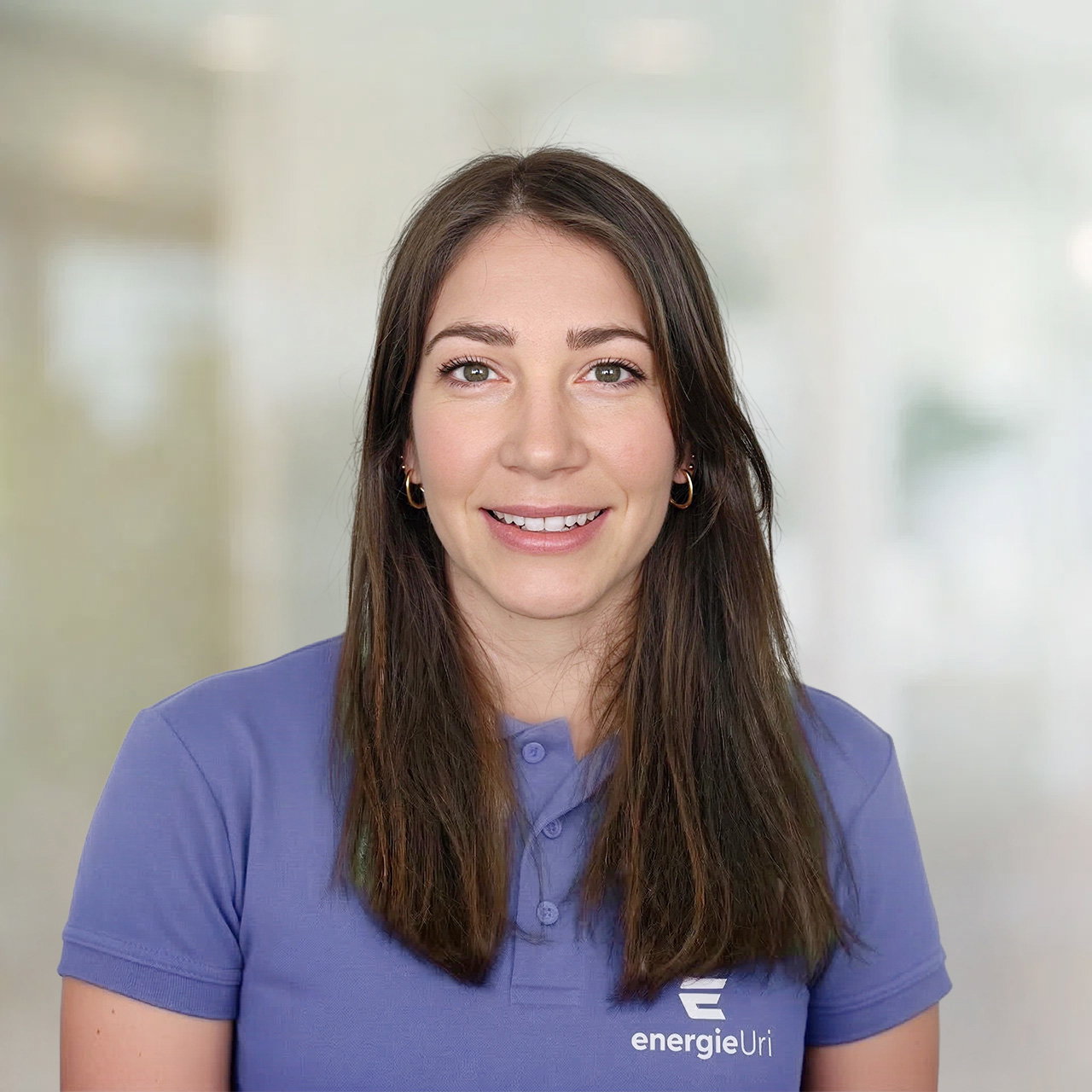
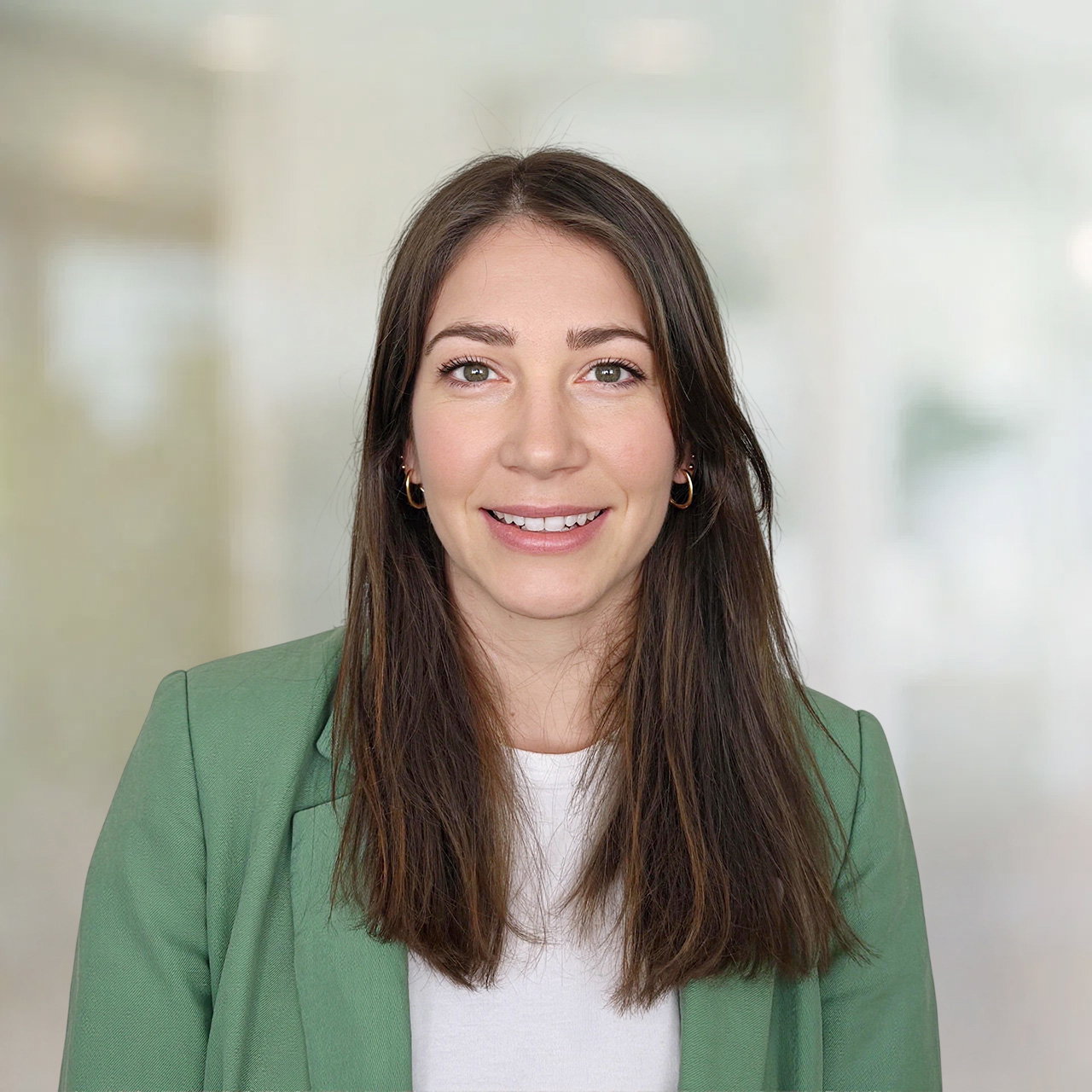
From casual look to corporate portrait
A single reference image of your target outfit is all it takes. Our AI analyses body posture, body shape and lighting conditions and transfers fabric, cut and colour to the portrait with natural fidelity. Even details like company logos, buttons or collars are rendered correctly – the result looks as if the outfit was worn during the shoot.
A single reference image is enough
Upload a single photo of the desired outfit. Our AI dynamically transfers it to every portrait – taking into account body posture, body shape and lighting conditions.
Dress code including company logo
Clothing with embroidered or printed company logos is also transferred correctly. All employees wear the official company clothing in their portrait – logo included.
Controllable per department
Define different outfits for different areas: blazer for management, shirt for sales, polo for engineering. Admins control in the dashboard who receives which outfit.
Rebranding without re-shooting
Dress code changed? Update all existing portraits at once with the new outfit. No new shoots, no new coordination.
Retroactively applicable
The new outfit can also be applied to existing photos in your database. You don't have to wait for new images – your entire archive can be updated retrospectively.
Ready from day one
New employees photograph themselves at home – even before the official clothing has arrived. The portrait in corporate dress code is still ready on time for the first day of work.
Frequently Asked Questions
Very realistic. Our algorithms analyse body posture, body shape and lighting conditions in the original image. Fabric texture, shadows and proportions of the new clothing are automatically adjusted. The result looks as if the person actually wore the outfit.
Essentially any type of clothing. You upload a single reference image of the desired outfit – our AI adopts the colour, fabric texture and even printed or embroidered company logos. Whether shirt, blazer, polo shirt or workwear: the reference image defines the result.
Yes. For optimal results, however, we recommend that the original portrait has a similar body posture to the reference image. Selfies are less suitable due to the unnatural perspective – but they can be combined with our Selfie Portrait feature: first, a professional portrait with correct pose is generated from the selfie, then the outfit change is applied to it.
Yes. You can store as many outfits as you like in the dashboard. Dynamic rules automatically assign the right outfit – based on attributes such as department, role, email address or other employee data. This way, each area receives the correct outfit without you having to assign it manually.
Our algorithms are trained to recognise different body postures and adjust the clothing accordingly. For difficult cases, our manual retouching service is always available. Via the dashboard, you can send individual images directly to our professional retouching team.
Yes. The outfit change can be applied to both new uploads and existing photos in your betterPortrait database. Ideal for a rebranding or when the dress code changes – without having to organise new photo sessions.
No. Our model has been specifically trained to generate exclusively professional business clothing. Even if an inappropriate reference image is uploaded, the system always produces a fully clothed result. The safety and dignity of your employees is our top priority.
Try it out – no commitment required.
Experience for yourself how easy professional portraits are today.
Try betterPortrait free for 14 days – with three free credits for your first portraits. No commitment, no credit card.